SELF-HOSTED CRM GUIDE
Best Self-Hosted CRM for B2B Sales
Looking for a self-hosted CRM that gives your team control of its sales data without turning CRM management into another IT project? The right choice depends on what your B2B sales team actually needs to do.
What Should a Self-Hosted B2B CRM Actually Do?
Self-hosting solves one important problem: ownership. But owning the software does not automatically make it useful for B2B sales. A practical B2B sales CRM should help your team:
- organize target accounts
- research companies before outreach
- qualify and prioritize opportunities
- identify people involved in the buying decision
- build an account development strategy
- plan outreach across multiple steps
- manage follow-up
- track quotations and samples
- manage deals
- preserve what the team learns from successful and unsuccessful opportunities
That matters especially when you sell to manufacturers, OEMs, industrial companies or other businesses with long and complex buying processes.
The Main Types of Self-Hosted CRM
Open-Source General-Purpose CRM
A broad CRM platform you can customize around your own processes. The trade-off is usually complexity and configuration.
CRM + ERP Platforms
Connect customer management with orders, invoicing, inventory or accounting. A small B2B team may not need an entire ERP to develop target accounts.
Lightweight Self-Hosted CRM
Simple companies, contacts, activities, tasks, opportunities and pipeline. Your sales methodology may still live in spreadsheets and inboxes.
Account-Development CRM
Starts with “how should we develop this account?” The workflow runs Research → Qualify → Decision Chain → Strategy → Outreach → Follow-Up → Quote/Sample → Deal → Learn.
A Different Approach to Self-Hosted B2B CRM
B2B Outbound OS is built around account development rather than contact storage alone. You start with the companies you want to develop, then the system helps structure the work around each account.
1. Research the Account
Keep company research connected to the customer record instead of spreading it across browser tabs, notes and spreadsheets.
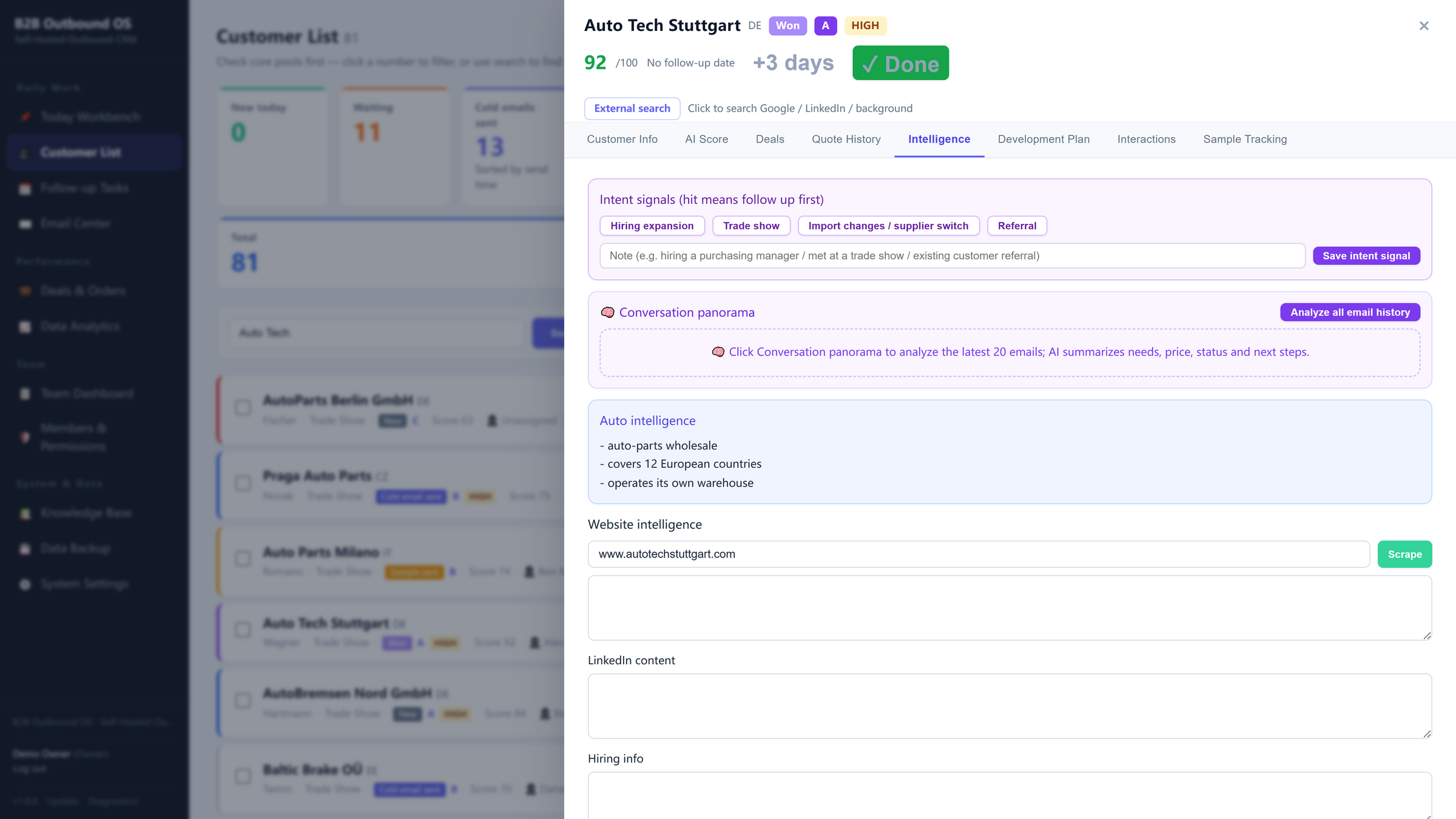
Account research, connected to the customer record.
2. Qualify and Prioritize
Use your own ideal-customer criteria to evaluate accounts and separate stronger opportunities from lower-priority targets.
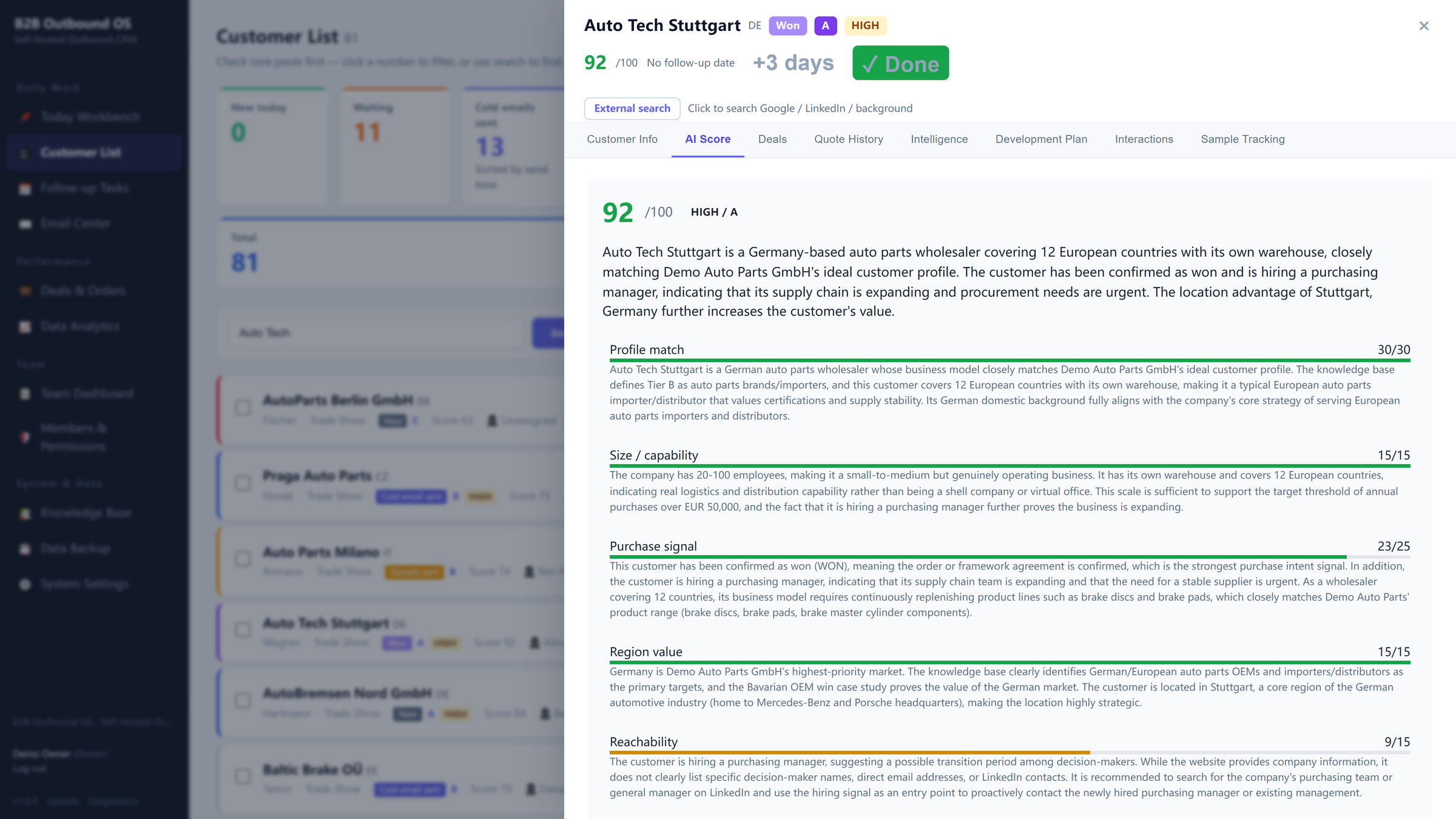
Explainable qualification against your own criteria.
3. Map the Decision Chain
Complex B2B purchases rarely depend on one contact. Keep procurement, engineering, quality and management connected to the account.
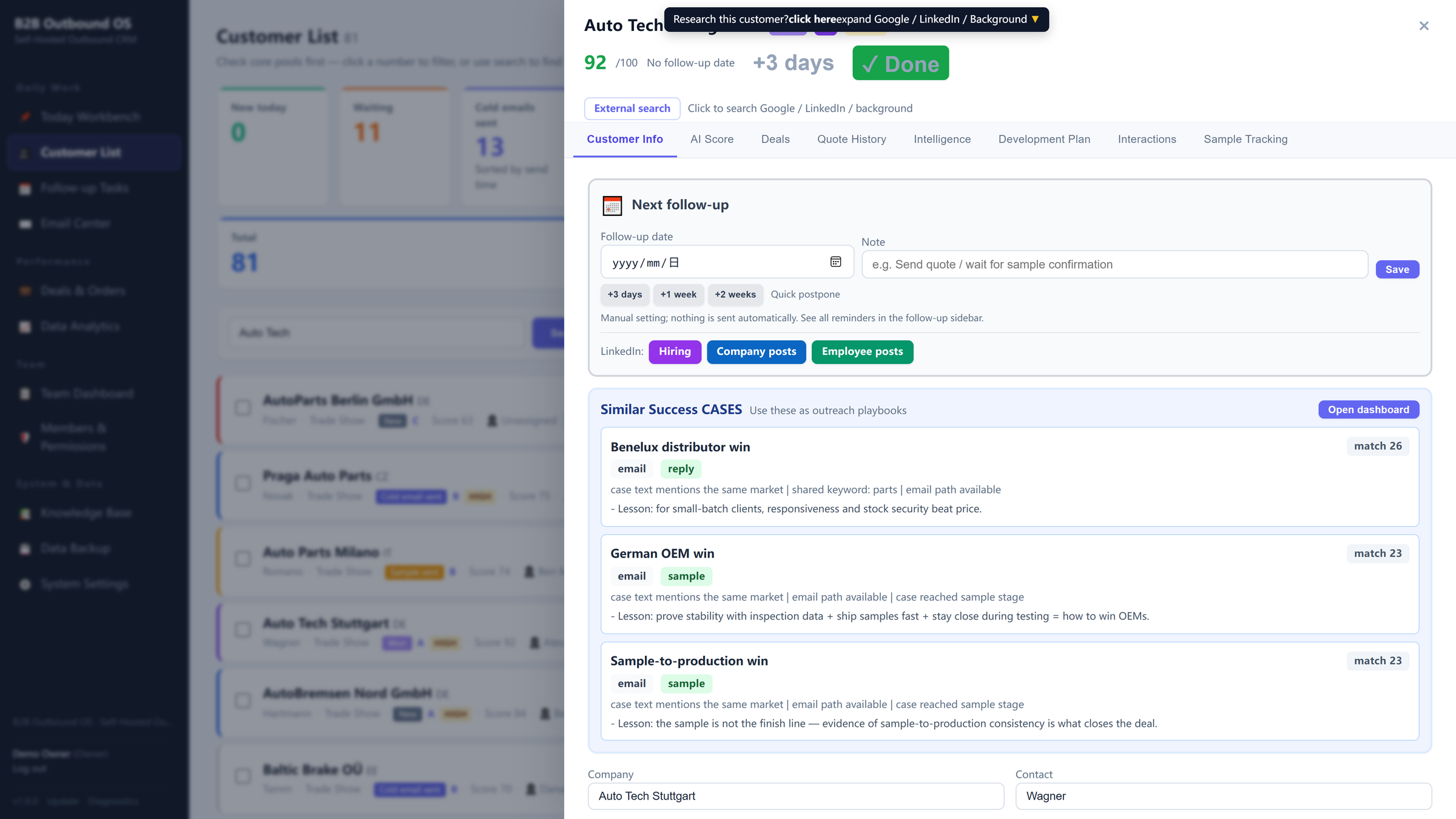
Know who influences the purchase and when.
4. Build a Development Strategy
A score tells you whether an account looks attractive. It does not tell you how to develop it. Turn intelligence into who to approach, what to lead with and what to do next.
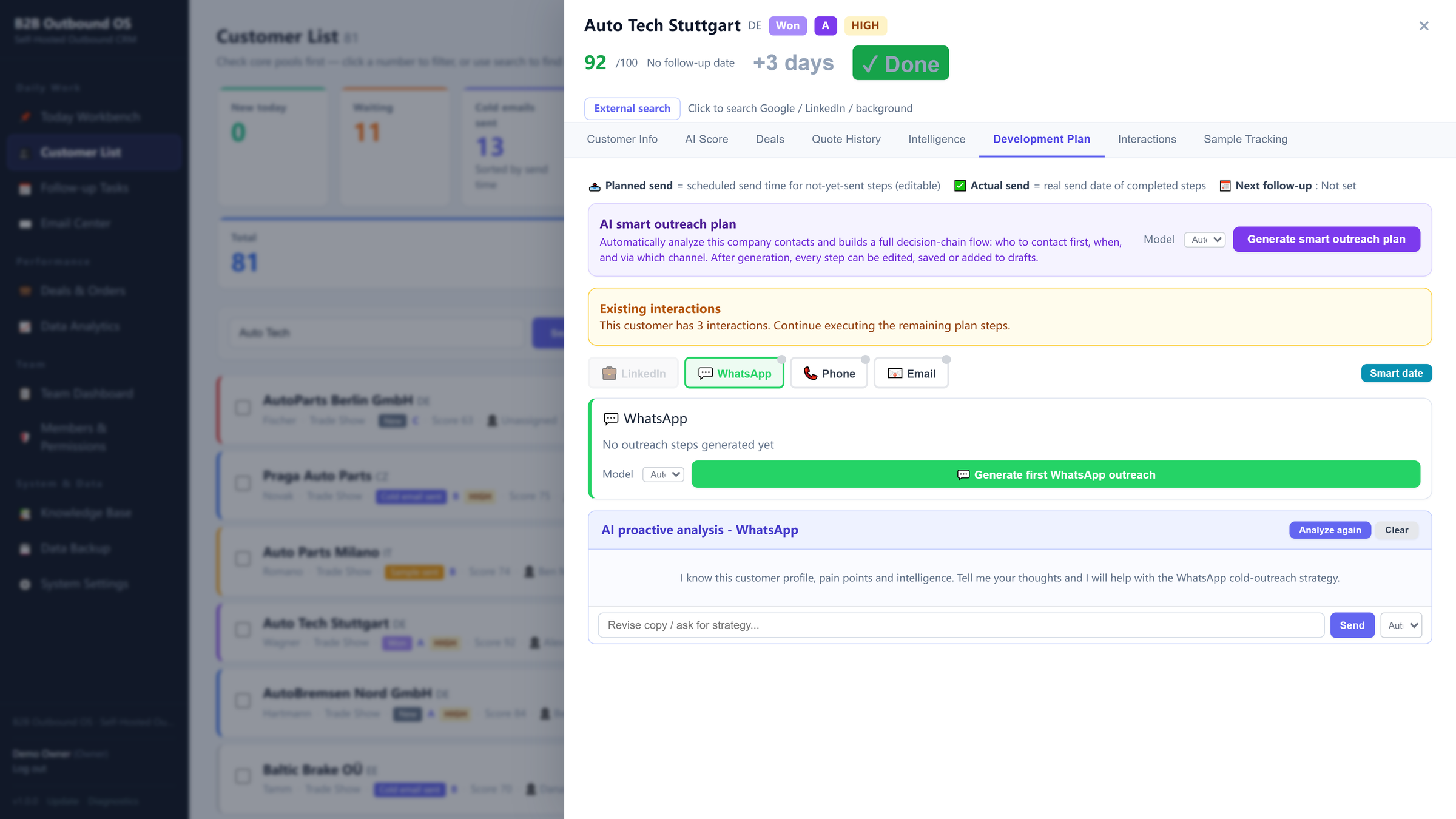
Account intelligence becomes a concrete development plan.
5. Execute and Follow Up
Turn the strategy into actual sales activity and keep the next action visible instead of relying on memory.
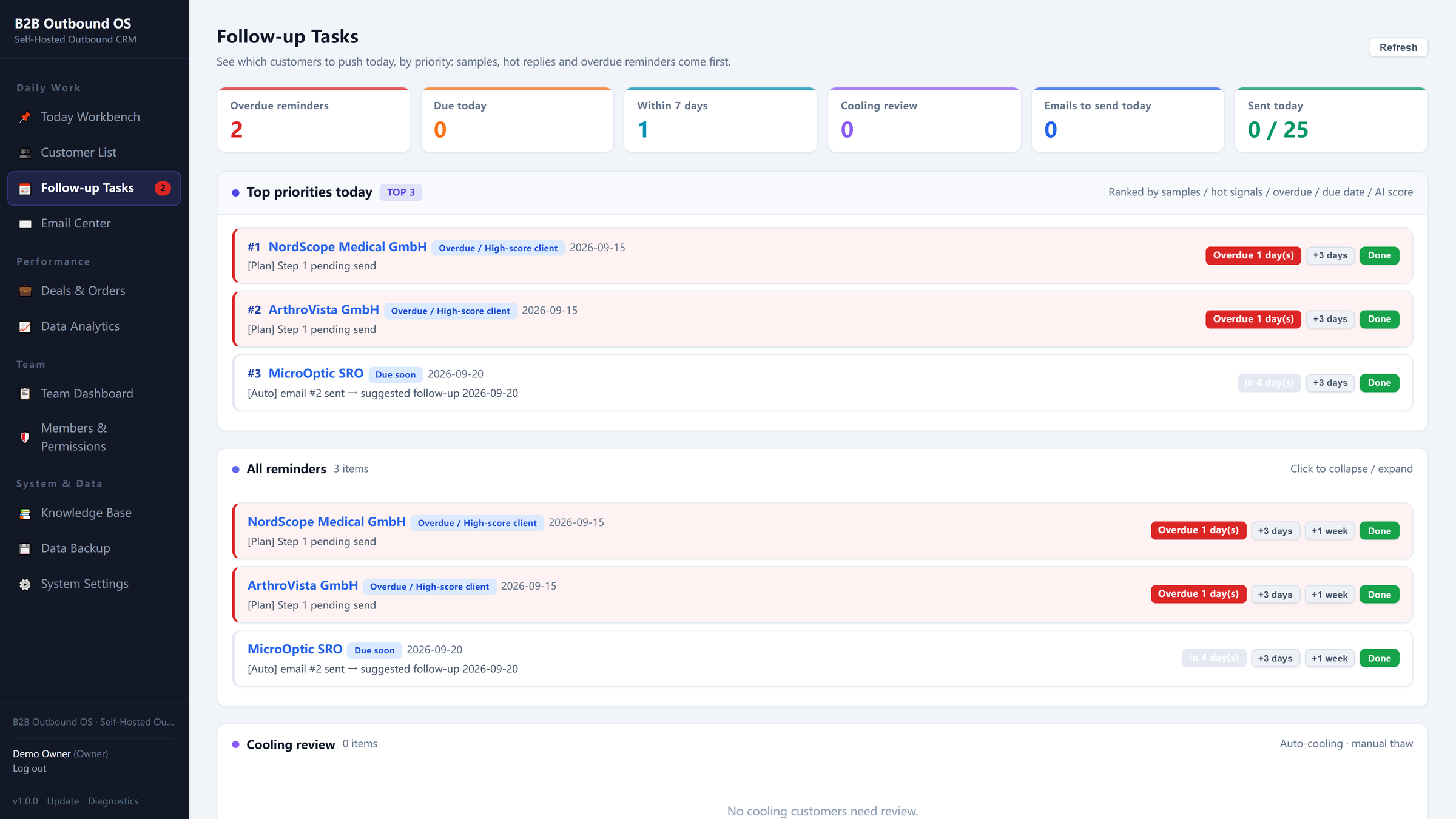
Next actions stay visible across the team.
6. Manage Quotes, Samples and Deals
In technical B2B sales, a quotation is not the end. Keep sample, evaluation, feedback, revised quote, negotiation and decision connected to the account.
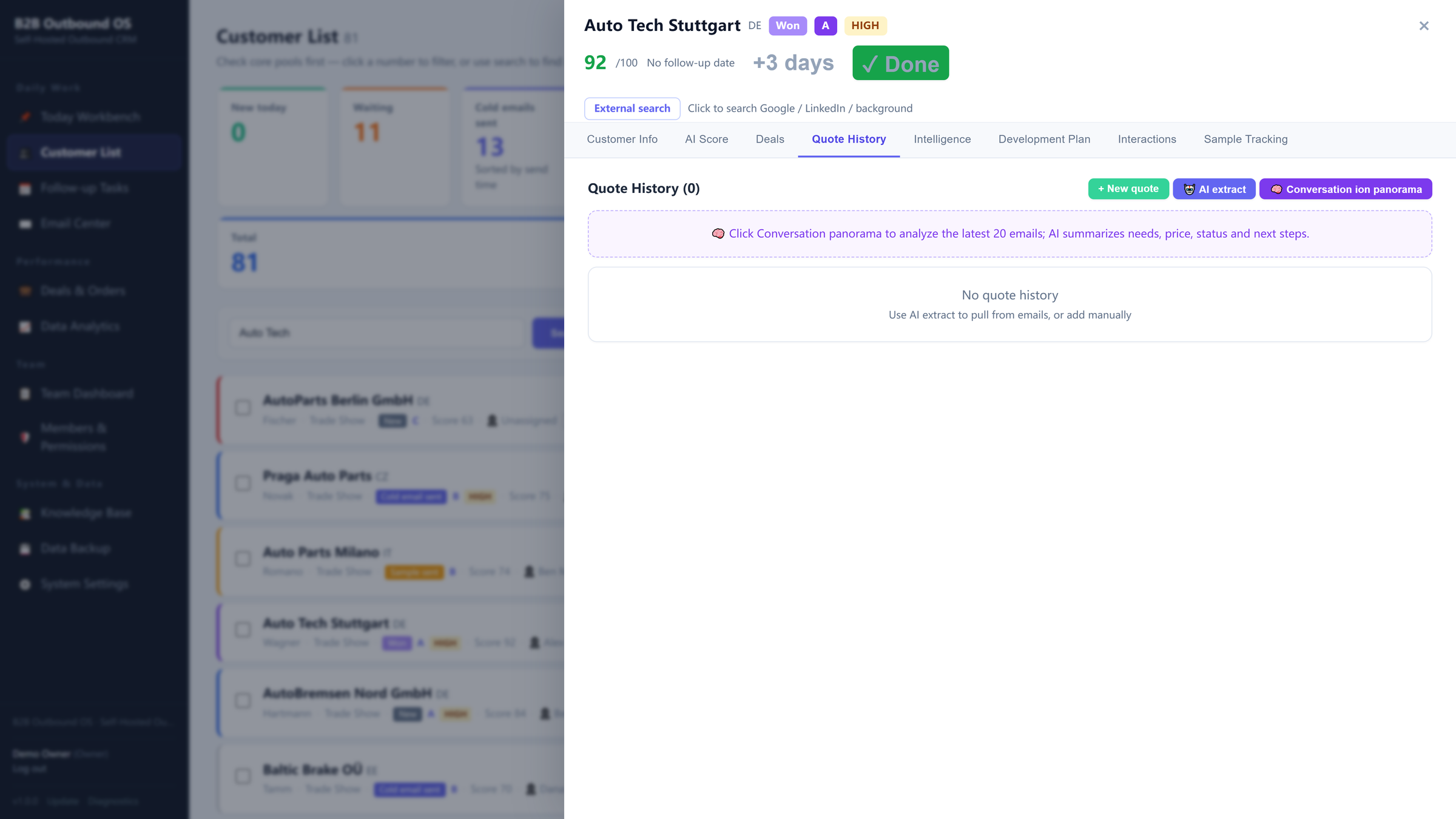
Quotes and samples stay on one record.
7. Turn Sales Outcomes Into Knowledge
Preserve which profiles converted, which value propositions worked and which objections kept appearing — as reusable sales knowledge.
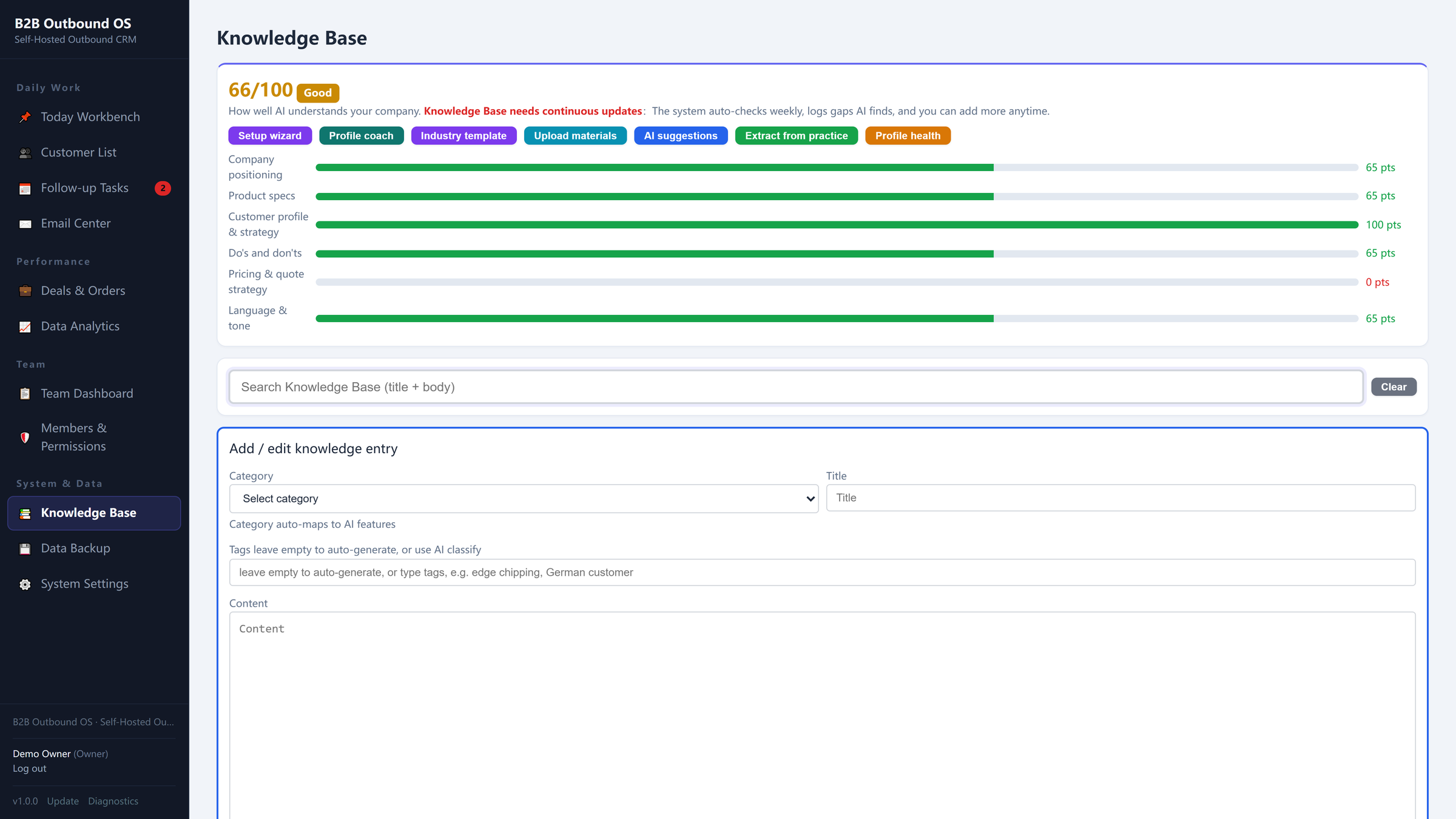
Every outcome feeds the knowledge base.
Self-Hosted Means More Than Data Location
Data ownership is one reason to choose self-hosted CRM. But ownership should extend beyond the database. With B2B Outbound OS, your sales environment can use your own deployment, customer data, AI API key, mailbox and backups.
No Monthly Per-Seat CRM Subscription
- Complete CRM software
- Self-hosted
- Team seats included
- No monthly CRM subscription
- Bring your own AI API key
- Use your own email account
- Export and back up your data
CRM software only. Prospect lists, lead data and custom market research are separate services.
Who Is This Self-Hosted CRM For?
B2B Outbound OS is designed for small B2B teams that actively develop target accounts. It is particularly relevant when you sell industrial components, manufacturing services, OEM/ODM services, technical products, equipment, specialized B2B services, or products with long sales cycles.
Who Is It Not For?
How to Choose the Best Self-Hosted CRM for Your B2B Team
Do you need a CRM or an ERP?
If inventory, accounting, production and operations are central requirements, look beyond standalone CRM.
Do you need deep customization?
If your team has developers and wants to build highly customized objects and workflows, an extensible open-source CRM may make more sense.
Do you mainly need contacts and pipeline?
A lightweight CRM may be enough.
Do you develop complex B2B accounts?
If sales depends on research, qualification, multiple stakeholders, development strategy, repeated follow-up, quotations or samples, evaluate the CRM around the complete account-development process — not just its contact database. See our B2B CRM buying guide.
Frequently Asked Questions
What is a self-hosted CRM?
A self-hosted CRM is CRM software deployed on infrastructure you control, rather than used exclusively through a vendor's hosted SaaS environment.
Is self-hosted CRM the same as open-source CRM?
No. Open source refers to the license and source code. Self-hosted refers to where the software runs. A CRM can be self-hosted without being unrestricted open source.
Is a self-hosted CRM better than a cloud CRM?
Neither is automatically better. Cloud CRM reduces technical responsibility; self-hosting provides more control over data, deployment and software economics.
What is the best self-hosted CRM for B2B sales?
It depends on your sales process. Choose a general-purpose CRM for flexibility, an ERP-connected CRM for deep operations integration, a lightweight CRM for contacts and pipeline, or an account-development CRM when your team researches, qualifies, maps stakeholders and moves opportunities through quote, sample and deal.
Does B2B Outbound OS charge per user?
No monthly per-seat CRM subscription is required. The CRM software is $99 one-time with team seats included.
Does the $99 license include prospect data?
No. The $99 price is for the CRM software only. Prospect lists, lead data, custom market research and managed lead-generation services are separate.
Can I see the CRM before buying?
Yes. Explore the workflow in the live demo and see how research, qualification, decision chains, strategy, follow-up, quotes, samples and deals work together.